How to read the dashboard
Session 2 · October 16, 2026 · 1:00
Our advisory board told us, “Graduates need AI skills.” When we asked which parts, they couldn't say. This is how my business school found out, field by field, and how you can do the same.
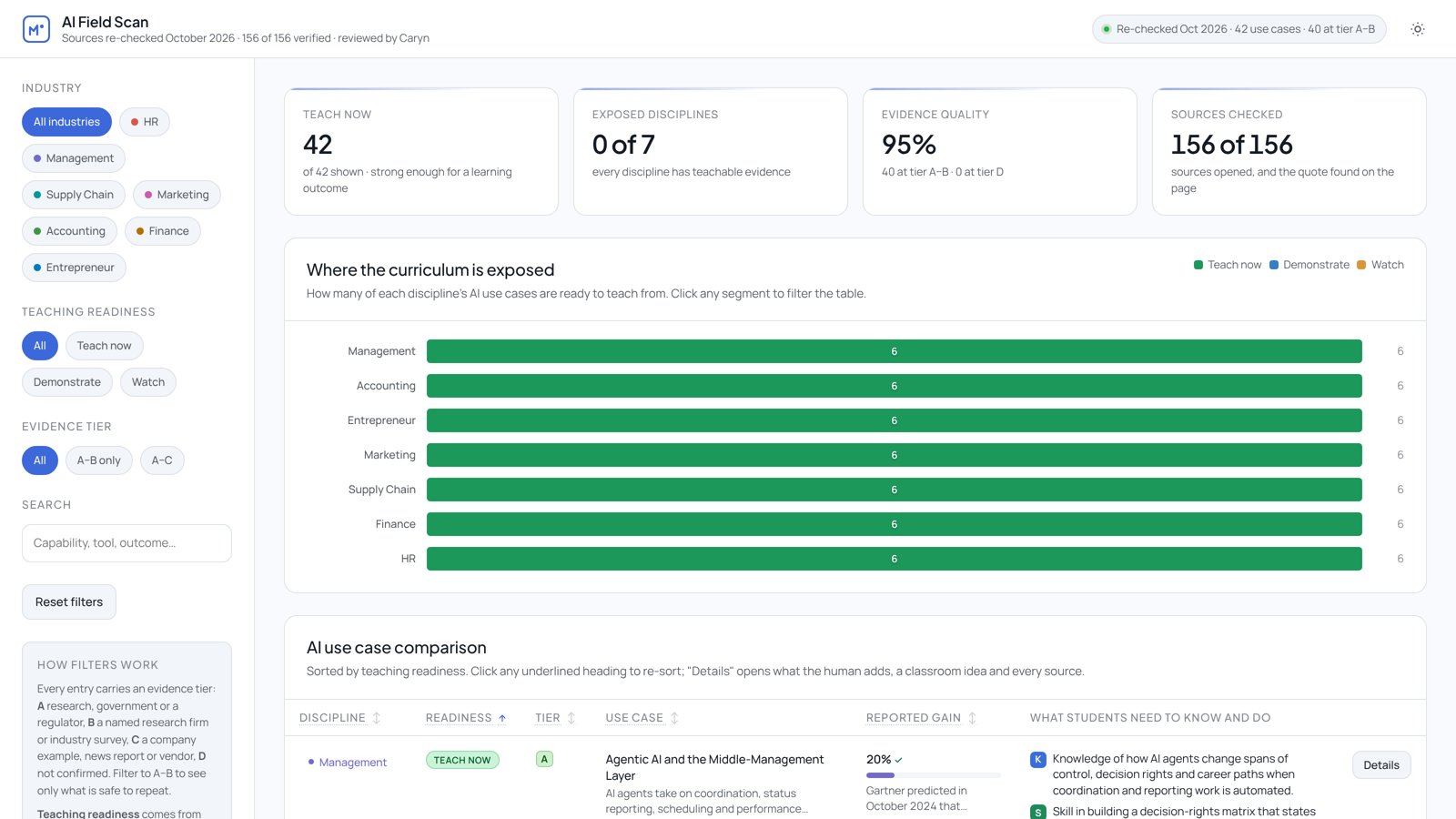
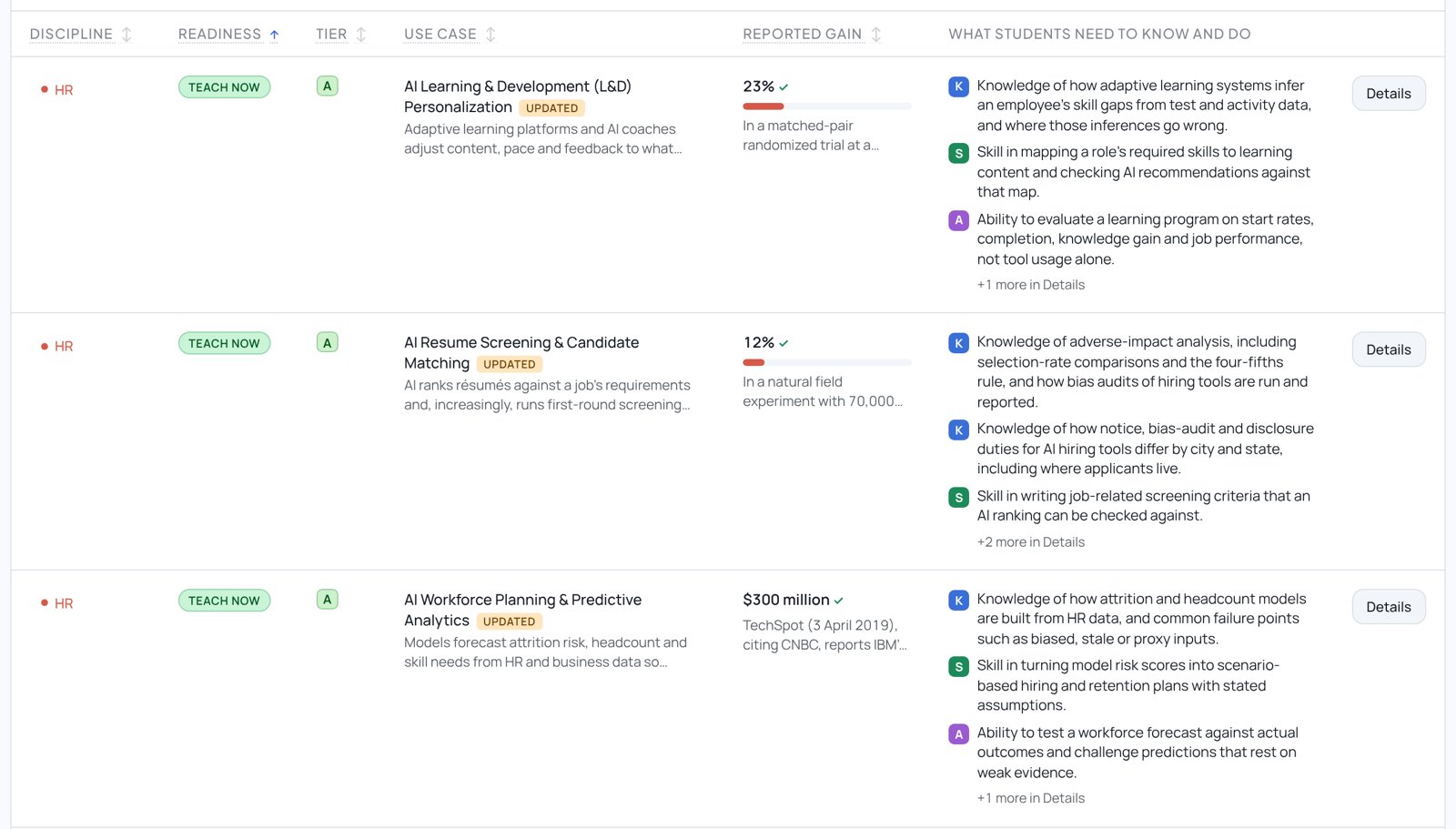
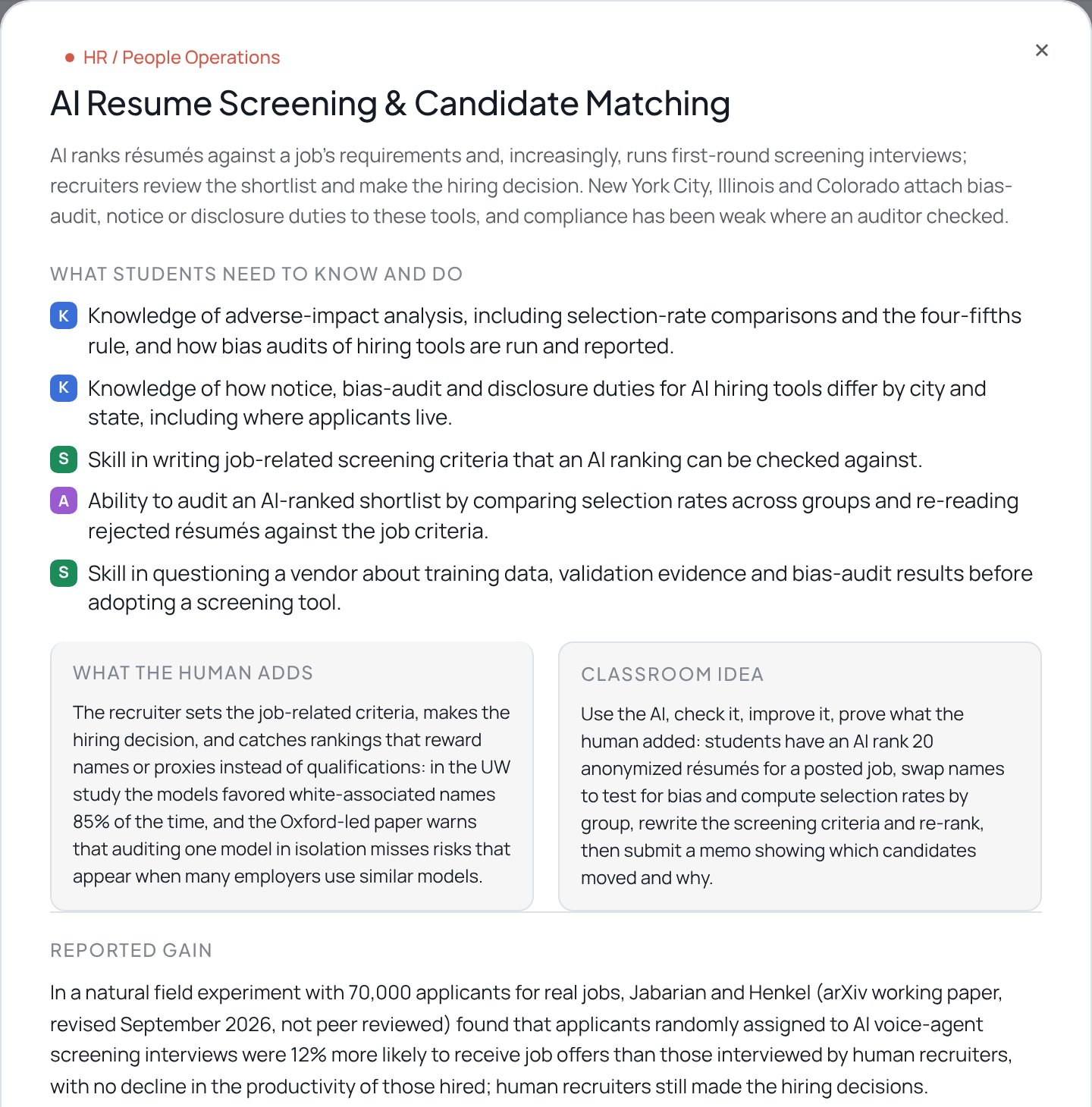
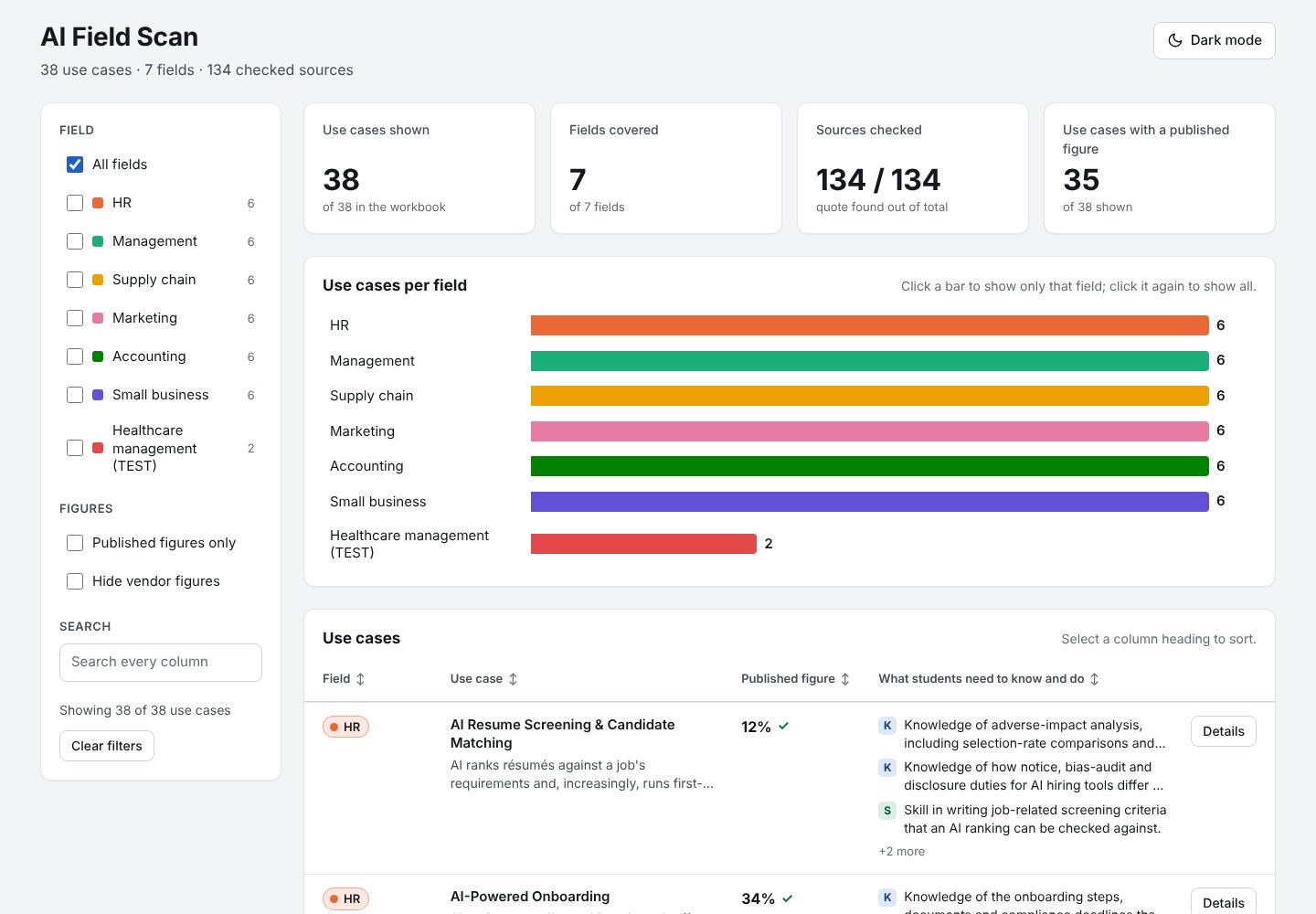
One checked workbook runs everything. The dashboard is the program view; the Syllabus Check is the course view. Every output is a draft for human judgment.
Steps: drop in the syllabus (Word, PDF or text) or paste the text; choose the field and course level; click “Check this syllabus” and allow it to run. Start with “What's already working,” then the assignment cards.
Privacy: nothing you drop in is stored. Ask the instructor before checking their syllabus, and follow your institution's rules on AI tools.
Limits: it reads the syllabus only, not what happens in class, and an instructor may already cover something without listing it. It flags any quote it can't find word for word. Its reports are drafts for the instructor's judgment.
AI does the legwork. A person makes the calls. Nothing counts on the AI's word alone: if a source can't be opened and the exact words found, it doesn't count.
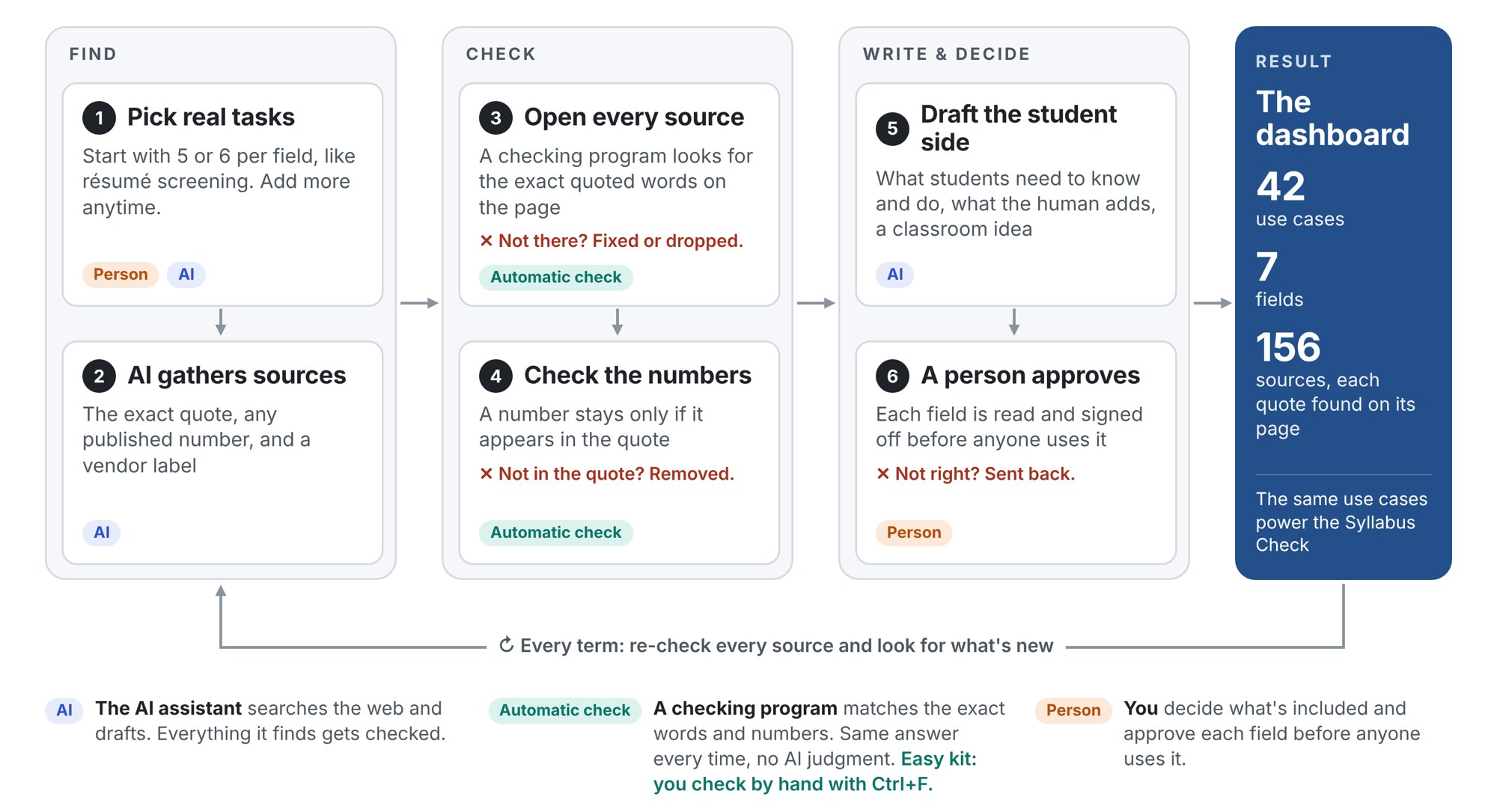
| Step | What happens | Who |
|---|---|---|
| 1. Pick the use cases | Name 5 or 6 concrete ways AI is used at work in each field, such as resume screening or invoice coding | You, with AI |
| 2. Decide what counts | Set which sources count and how vendor sources are labeled | You |
| 3. Gather | AI finds sources for each use case, with the exact quote and any published figure | AI |
| 4. Check | A checking program opens every source and finds the exact words (or you do, with Ctrl+F); a second AI tries to disprove each item | Automatic check, then you spot-check |
| 5. Write what students need | For each use case: knowledge, skills and abilities, what the human adds, and a classroom idea | AI drafts |
| 6. Decide | You approve each field before anyone uses it | You |
| 7. Use it | AI reviews a syllabus against the approved use cases and drafts assignments | AI, you judge |
| Tier | What it is | How it's used |
|---|---|---|
| A | Research, government, regulators | Use freely |
| B | Named research firms and industry surveys | Use, naming the publisher |
| C | Company examples, news reports, and vendors | Use, labeled; a vendor's own number is marked “vendor” |
| Not kept | Anything you could not open, or whose words you could not find on the page | Never used |
The four method prompts (gather, the skeptic, what students need, and review a syllabus) are in method-prompts.md and in the guide.
One workbook and two prompts. The workbook holds the checked evidence; the dashboard prompt turns it into a program view, and the Syllabus Checker prompt applies it to one course.
Both prompts work with a customized copy: they skip empty rows and use whatever fields are in the workbook.
The easy kit works in any AI chat tool. To make it work like ours, with automatic source checks and shared pages, the AI setup needs the abilities below. You don't need to code: the AI writes and runs the code.
| Your AI setup needs to | Why | Easy kit | Full version |
|---|---|---|---|
| Search the web and open pages | To find sources and read them | Yes | Yes |
| Read files you upload | To use the workbook and syllabi | Yes | Yes |
| Keep saved instructions (a skill, project, custom GPT, Gem or agent) | So it follows the same method and honesty rules every time | Yes, for the Syllabus Checker | Yes |
| Make a web page | To build the dashboard | Yes | Yes |
| Run code that can reach the internet | The automatic check: open every source, find the exact words, check every number | No: check by hand with Ctrl+F | Yes |
| Keep files in a project folder with version history (such as GitHub) | Keeps the data, the programs and a record of every change | No: the workbook is enough | Yes |
| Publish and share pages | So colleagues can open the dashboard and the Syllabus Check | Optional | Yes |
| Build a page that can call the AI | The live Syllabus Check, where anyone drops in a syllabus | No: use the chat version | Optional |
| Run helpers in parallel | Research several fields at once | No | Optional |
| Run on a schedule | Re-check every source each term without being asked | No | Optional |
Not tools, but just as necessary:
How to test a tool: ask it to open one source from the workbook, using code, and find the quote's exact words on the page. Many chat tools run code offline. If it can't open the page, use the easy kit and check sources by hand.
What we used: Claude Code (claude.ai/code) with a GitHub project. It has every ability in the table.
Use cases sheet (one row per use case)
| Column | What it holds |
|---|---|
| ID | A short ID, such as hr-01 |
| Field | Picked from a list: the seven fields, plus any added on the Summary sheet |
| Use case | The use case's name |
| What AI does | One or two plain sentences |
| Published figure | The headline figure, if a source published one |
| Figure details | The figure as the source states it, with who measured what and when |
| Vendor figure? | Yes if the figure comes from a vendor's own data |
| Knowledge students need | “Knowledge of…” lines, one item per line |
| Skills students need | “Skill in…” lines, one item per line |
| Abilities students need | “Ability to…” lines, one item per line |
| What the human adds | Why a person stays in the loop |
| Classroom idea | An activity built on the four moves |
| Sources | Count of the use case's sources (formula) |
| Sources checked | Count of sources whose quote was found (formula) |
Sources sheet (one row per source, matched to use cases by ID)
| Column | What it holds |
|---|---|
| Use case ID | Picked from a list of the IDs on the “Use cases” sheet |
| Publisher | Who published it |
| Title | The source's title |
| Link | The URL |
| Published | Publication date |
| Kind | Research, Survey, Government, Rule or standard, Case study, News or Vendor (pick-list) |
| Vendor? | Yes if the publisher sells the product involved |
| Quote (exact words) | The words copied from the page |
| Quote found on page | Yes if the quote was found on the page |
| Checked on | The date it was checked |
3 of 41
Our first AI-built dataset had 41 use cases. It looked polished. When we re-checked it source by source, only 3 came through with their numbers intact. In 25, at least one headline number was not in the source it cited. In 6 more, the number was on the page but came from an untraceable roundup or measured something else, and in 5 the cited page could not be opened. Each number was replaced with a published one or removed.
| What the AI said | What the source actually says |
|---|---|
| Warehouse robots cut labor costs 65% | The linked page was dead, and the robot maker's own site says 50–90%, not 65% |
| AI answer summaries caused a “47% decline” in clicks, citing Pew | Pew reported click rates of 8% and 15%; the 47% was the original author's own calculation |
| An audit standard (PCAOB AS 1105) is an “AI rule” | Its Federal Register notice says it does not address “other technology applications used in audits (e.g., blockchain or artificial intelligence)” |
| Deloitte reports “92% accuracy”; McKinsey reports “up to 25% faster decision cycles” | The Deloitte figure is not in the cited release. The McKinsey page could not be opened, and no other copy of that figure was found |
| The DOL AI Literacy Framework covers bias | The full notice never mentions bias, fairness or AI agents |
| A study found AI resume screeners disadvantage older applicants | It found post-trained models 3.6% less likely than their own base versions to call back older applicants: a narrower claim |
None of these would have been caught by reading the AI's answer. Every one was caught by opening the source.
Constructive alignment lines up three things: outcomes, activities, and assessments (Biggs, 1996). Curriculum mapping makes that alignment visible across a program (Harden, 2001). This work adds one more reference point to line them up against: how industry actually uses AI.
Use AI. Check it. Improve it. Prove what the human added. That is the student skill. It is also the curriculum-design process.
First built by Caryn Stanley in May 2026 with Perplexity, as part of earning the SHRM AI+HI credential. Rebuilt with Claude.
The dashboard is a snapshot and needs a refresh each term. Some figures come from vendors, working papers or forecasts, and each is labeled.
Everything on these pages is free to use and adapt in your own courses. If you try it, I would love to hear what changed for your students.